Foundations 01 / Buyer Basics
Everything a complete beginner should know about what a photocopier really is
The word photocopier covers four different machines at four price points. A purchase order almost never says which one it means. Sorting out which one is on the table decides more of the final bill.
The machine sits in nearly every office. It goes unnoticed until it stops working. A company keeps the same unit for years. When replacement time comes, three dealers send back three quotes that look nothing alike.
The quotes diverge because the word on the request means four separate things. Until every side names the same machine, the numbers cannot be compared at all.
Four machines hiding under one word
A procurement spreadsheet lists it as a copier. An office manager calls it a printer. A service technician calls it an MFP. Trade press calls it a multifunction device. Behind those labels sit four price tiers, four feature sets, four separate conversations with a salesperson.
The first is a single-function copier. It copies. It does nothing else. Production of office-class copy-only machines wound down by the early 2010s, once the price gap against a full multifunction unit had shrunk to almost nothing. The category survives in two niches today. High-security sites want air-gapped equipment with no network controller. Refurbished sellers clear inventory built in the last decade. Below a few thousand pages a month, a plain laser printer can carry the load. The support behind a discontinued line runs thin. A worn part takes weeks to source. The matching toner turns scarce on the shelf.
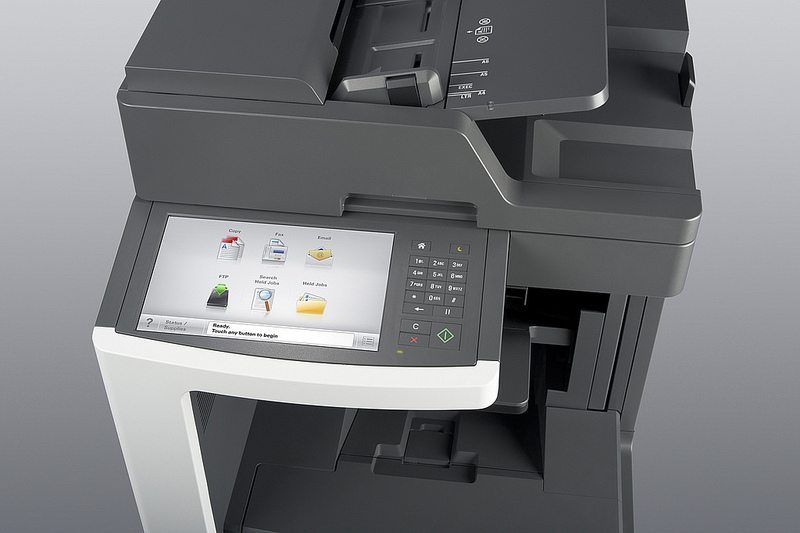
The second is the multifunction printer, MFP for short, the one a typical office buys. Inside sits a print engine, a scanner, a document feeder on top, a controller board running embedded Linux, storage measured in hundreds of gigabytes. The unit speaks to Active Directory, Microsoft 365, Google Workspace, cloud storage through standard connectors. Brand engineers treat the print engine as a commodity part. Much of what an office still calls a copier is now an MFP, one device standing in for a whole print room. Marketing splits one platform into three-in-one, four-in-one and five-in-one tiers, each a different mix of the same functions.
The third is an analog copier. Lamp-and-mirror optics, no digital stage in the middle. This was standard office equipment into the early 1990s. New production had ended by about 2000. The few still running in 2026 stay alive through independent technicians, mostly for collectors, museums, a handful of organizations with regulatory reasons to keep document equipment off any network.
The fourth is a production copier. Canon imagePRESS. Xerox Versant and PrimeLink. Konica Minolta AccurioPress. Ricoh Pro. Speeds run past 100 pages a minute in color, with inline finishing that reaches saddle-stitched booklets, hole-punching, perfect binding. Entry list prices start near 30,000 euros. The largest units sit well above 200,000. Print shops live here. Crossing from office-class into production-class equipment happens at a monthly volume few offices ever reach.
Telling the four apart on a quote is mostly a price question. A figure under 10,000 euros is an office MFP. A figure above 30,000 euros is production equipment. A single-function copier lists no scanner and no network controller. An analog unit will not appear on a new-equipment quote at all. When a number lands in between, the move is to ask the salesperson which of the four the quote is built around.
How a sheet of paper becomes a copy
The mechanical process is older than the people who run it. Chester Carlson produced the first electrostatic image in 1938, working in a makeshift lab in Astoria, Queens. He filed his patent in 1939. The grant, US 2,297,691, came through in 1942. Haloid Xerox turned the idea into the first successful plain-paper office machine, the Xerox 914, in 1959. The process traces back to Chester Carlson’s 1938 experiments, unchanged in principle ever since.
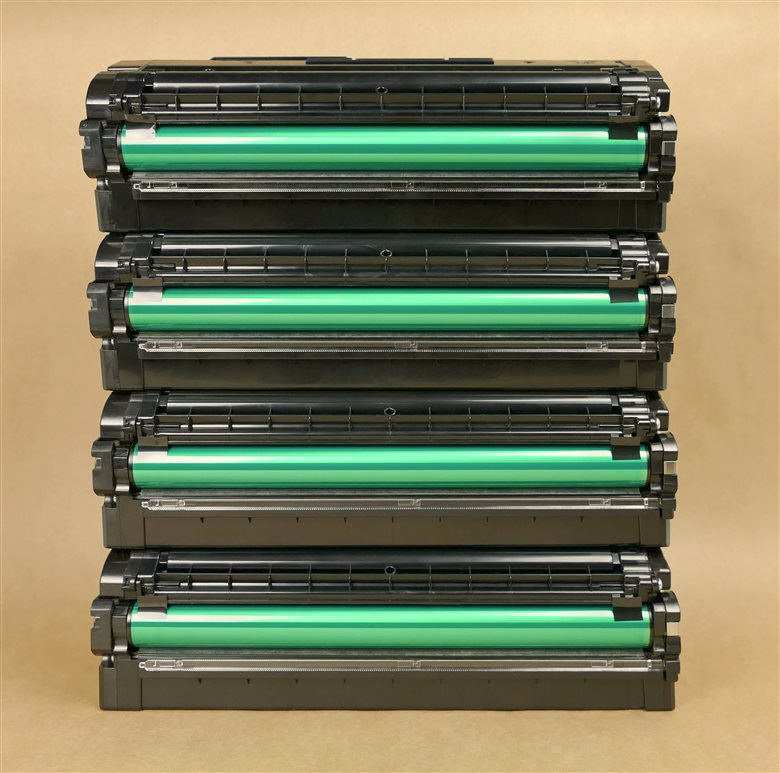
Six steps repeat for every page. A drum takes on a static charge. A laser scaled to 600 or 1200 dots per inch hits the drum, neutralizing the charge wherever the image falls. Toner rolls past the drum. The powder clings to the exposed pattern. The drum presses to the sheet. It lays the powder down. The sheet runs through a fuser, where heat in the rough range of 180 to 200 degrees Celsius melts the toner into the paper fibers. A blade scrapes the leftover powder off the drum into a waste bottle.
On a 60-page-a-minute engine, the whole sequence takes about a third of a second per sheet. Color repeats it four times in line, one station each for cyan, magenta, yellow, black. A color MFP weighs around 90 kilograms. A monochrome unit of similar speed comes in near 50.
The imaging hardware is shared across the industry. A drum, a laser, a fuser, a waste bottle behave the same inside a Canon, a Ricoh, a Kyocera. The premium pays for the controller and the contract.
The six steps have barely changed since 1959.
Where the money lives
Every dealer quote splits in two. Hardware sits on one side, paid up front or financed across 60 months. That side is close to transparent: a list price, a dealer discount of 20 to 35 percent, a small line for installation and driver rollout. The service contract sits on the other side, billed every month for every page printed. Spanish SMB rates in 2026 commonly land near 0.005 euros per monochrome page, somewhere between 0.04 and 0.07 euros per color page. Take an office printing 4,000 monochrome pages a month and another 1,000 in color. The monochrome pages cost around 20 euros a month. The color pages cost between 40 and 70. The service bill lands near 90 euros on top of the lease payment. Across a 60-month term that single line totals close to 5,400 euros. The rate covers real costs. It pays for the technician who drives out, the parts that wear, the drum, the fuser, the rollers, the toner on an inclusive deal, the desk that logs the call. The dealer prices the lot into one figure per page, then sets a margin on top. A 60-month lease turns a 6,000-euro list price into something nearer 7,000 once interest is counted. Push the color rate to 0.08 and the same workload over the same term climbs past 6,000 euros. Run the color rate out in a line. At 0.06 euros a page, a 1,000-page color month is 60 euros, close to 720 a year, past 3,600 across the term, from color alone. The monochrome pages pile their own total on top. Neither of those two lines appears anywhere on the hardware quote a first-time buyer reads first. The per-click rate is charged on every page for five years.
Kyocera runs a different model from the rest of the brand list. Its drums are rated to last the life of the machine with no replacement schedule. Hardware list prices run 10 to 20 percent above comparable Canon or Ricoh units. The legal sector in Spain has run this calculation already. A large share of law-firm fleets in Madrid and Barcelona run Kyocera.
That per-page figure has its own mechanics. A dealer can quote three flavors of it. Several variant definitions change what the number includes. A duplex sheet counts as two impressions under some contracts.
How toner gets measured
Cartridge life is rated by ISO yield. ISO/IEC 19752, published in 2004, covers monochrome cartridges. ISO/IEC 19798, from 2006, covers color. Both assume 5 percent page coverage against a defined test suite. Both require a minimum of three cartridges tested across three printers.
Real office documents run between 4 and 8 percent coverage on text pages. A cartridge rated at 16,000 pages prints somewhere near 14,000 to 18,000 office pages in practice. A page heavy with charts or photographs burns through toner faster than the rating predicts.
Drum life follows a separate schedule from toner. A drum carries a rated life in the range of 100,000 to 300,000 pages on a typical machine, replaced as a maintenance item when it wears. The Kyocera exception above is exactly this part rated for the life of the unit.
A maintenance kit bundles the wear parts a machine needs at a set interval, the fuser, the rollers, the transfer unit, sold as one scheduled item. On a busy floor the kit comes due every few hundred thousand pages.
The segment scale every dealer uses without explaining it
Office machines get sorted into segments numbered one through six. The scale came out of the independent testing house Buyers Lab. It is built into dealer quoting tools across Europe and North America. Asking for a Segment 3 color machine returns a tighter quote. The exact speed bands shift between sources and over time, so the table below is a working approximation, with the exact bands left open. Each segment number maps to a fixed band of speed, paper handling and durability.
| Segment | Approx. speed | Form factor | Typical use |
|---|---|---|---|
| 1 | 20–30 ppm | Desktop A4 | Small office, one workgroup |
| 2 | 30–40 ppm | Desktop or small floor | SMB workgroup |
| 3 | 40–55 ppm | Floor-standing A3 | Mid-sized office floor |
| 4 | ~55 color / 65–75 mono | Floor-standing | Large workgroup |
| 5 | 55–70 color / 70–90 mono | Heavy floor unit | Enterprise floor |
| 6 | 70+ color / 90+ mono | Light production | Print room, in-plant |
A Segment 3 color machine arrives as a floor-standing A3 unit with two paper trays, a 100-sheet feeder, finishing sold separately. The price gap between neighboring segments runs roughly 30 to 50 percent. The typical Spanish SMB office lands on Segment 3. Enterprise and government floors run 4 and 5. Segment 6 is where office equipment ends.
Volume sets the floor under the segment. An office printing 3,000 pages a month runs comfortably on a Segment 2 unit. The same office at 30,000 pages wears that unit out early.
What hides inside an MFP that the spec sheet skips
Canon ships uniFLOW and imageWARE. Ricoh ships Streamline NX and the Smart Operation Panel. Xerox ships ConnectKey with an app gallery. Kyocera ships HyPAS. Sharp ships Synappx. HP ships Workpath.
Four scan destinations decide whether a controller is current: OneDrive, SharePoint, Google Drive, Dropbox. A 2026 office machine that cannot reach all four out of the box is missing workflows the office uses daily. Token-based sign-in on those connectors became the norm in 2023, after Microsoft and Google retired basic passwords on their mail and cloud platforms. A machine bought before that shift can stop scanning to email after a server-side change.
The everyday difference between a printer, a copier and an MFP is mostly a matter of degree.
Two features beyond scanning separate a current controller from an old one. Mobile printing lets a phone or laptop send a job over the network with no driver install, through AirPrint, Mopria, or the brand app. Secure release holds the job on the drive until the person reaches the machine and taps a card or a PIN. An office that prints payroll or medical records treats secure release as a baseline requirement.
A controller has a working life of its own, shorter than the engine it drives. Brand support for a platform version runs a handful of years before security patches stop.
The drive nobody asks about during procurement
Inside the controller sits a hard drive, often a few hundred gigabytes, encrypted at AES-256 on any model sold in the last several years. It caches recent jobs, holds the address book, stores held print jobs released by PIN or proximity card.
Decommissioning a machine without wiping that drive is a data-protection exposure under the RGPD in Spain and the GDPR across the EU, because the cached jobs can include contracts, payroll, identity documents. Every brand sells a certified wipe routine. Few buyers ask for it during procurement. Many service contracts leave it out at end of lease. One question, put in writing, closes the gap. Who erases the drive when the machine goes back. Is that erasure certified.
A careful buyer asks where the machine sends its own data. A fleet contract usually bundles remote monitoring that reports page counts and toner levels to the dealer over the network.
What five years of ownership pays for
Three timelines run at once under a single decision. The hardware runs five to seven years before replacement. The service contract runs three to five before renegotiation. The workflow integration with the rest of the office software runs as long as the office keeps that software. A buyer signs all three on the same afternoon.
Across a full term, the per-page service contract is routinely two to three times the hardware cost of the machine printing the pages. An office that understands what sits inside each click can move that figure 8 to 18 percent through negotiation without changing vendor.
The split surprises a first-time buyer. A machine that costs 4,000 euros to buy can cost close to 10,000 to run across the same five years, once the per-page contract and the consumables are counted in.
A short checklist before the quote is signed
Four things settle the bulk of the risk in an office copier decision. None of them is a hardware spec. Name the machine class first. Read the per-page service rate next, before the headline list price. Confirm the consumables the rate includes, toner and drum both.
The fourth is the paperwork at the end. Settle the renewal-notice window and the drive wipe in writing before signing.
The traps written into the small print
Three clauses turn up in almost every dealer contract. The first is auto-renewal. A lease rolls over for another 12 months unless the customer gives written notice, usually 90 days before the end date. The window is enforceable across Spain, Italy and France. The clause is seldom flagged in the sales pitch. An office that misses it signs another year on terms set five years earlier without noticing it has happened.
The second is the response-time claim. A contract promises four-hour response with no penalty attached for missing it. A ticket logged on a Friday afternoon routinely takes four business days to clear.
The third is the largest single source of overpaying. A service rate that excludes toner runs 20 to 30 percent more expensive over 60 months than an all-inclusive rate quoted at the same headline number. The dealer makes a separate margin on toner sales.
A volume clause deserves the same attention. Some contracts set a minimum monthly page count and bill it whether the office prints those pages or not. A slow August becomes a charge for pages never run.
The cost lives in the terms. A contract has to be read clause by clause.
Common questions
Is a copier the same thing as an MFP?
Not in the strict sense. A copier copies only. An MFP, the machine an office now buys by default, prints, scans, copies, reaches network and cloud services through a controller. Everyday speech uses the words interchangeably.
Why do two machines at the same print speed cost so differently?
The print engine is treated as a commodity part. The gap reflects the controller, the software stack, the service rate behind the machine. Two units rated at the same pages per minute can carry five-year totals hundreds of euros apart once the per-page contract is counted.
What is the single line a first-time buyer overlooks first?
The per-page service rate. Half a cent per color page, across a normal monthly volume over a 60-month term, moves the total by hundreds of euros.
What happens to the data on a copier when the lease ends?
It stays on the internal drive until someone wipes it. Cached jobs, the address book, held documents remain readable to anyone who recovers the disk. A certified wipe at end of lease should be agreed in writing before the machine leaves the building.
Which brand is the right one to buy?
No single brand wins for every office. Print volume, color mix, the software already in use, the local service network all move the answer. The segment and the per-page rate narrow the field faster than the badge on the front.
A photocopier is four machines wearing one name, a six-step process from 1938 running under a 2026 controller, a contract that costs more than the box it sits in. Knowing which machine is on the quote, then reading the service rate next to the list price, is the bulk of what a first-time buyer needs before signing anything.