Foundations 05 / Plain Terms
The simplest possible explanation of what a multifunction printer does
A multifunction printer is one office machine that does the work of four. The shorthand MFP, printed on every dealer invoice across Europe, names a single chassis that folds a printer, a copier, a scanner and a fax machine into one body.
Four functions sit inside one device. They share one paper path, one set of toner cartridges, one scanner glass, one network connection.
The label keeps changing with whoever is talking. Trade press calls it a multifunction device. A technician calls it an MFP. An office manager calls it the printer, or the copier, depending on which function got used last. The hardware behind every one of those words is the same single machine.
The whole thing in two paragraphs
An MFP is a desk-sized or floor-standing machine. It prints from a computer over the network. It copies a paper original into a duplicate with no computer involved. It scans a paper original into a digital file bound for email or a folder or a cloud service. On many models it faxes a document down a phone line or across the internet. Four functions, one body, one power cord, one Ethernet cable.
The functions run on shared internal parts. The same toner feeds the print engine for print jobs and for copy jobs. The same scanner glass and document feeder serve copy jobs and scan jobs. The same paper trays hand sheets to printing and to copying alike. A person walks up, sets a page on the glass or in the feeder, taps copy or scan or fax on the touchscreen, presses start. A person at a desk opens the print dialog, picks the machine off the list, sends a job over the network. The controller takes in both kinds of work, queues them, turns out paper or files in order.
Print, copy, scan, fax: what each one means
Print is the machine taking a job from a computer over the network and turning out paper. The job travels as a stream in PCL, PostScript or PDF. Those are page-description languages the controller knows how to read. The controller rasterizes the stream into a bitmap. The laser writes that bitmap onto the drum as a pattern of charge. The engine develops it in toner and fuses it to the sheet. Office machines run print between 20 and 70 pages a minute. Print is the function that runs through the working day, often past 80 percent of total activity.
Copy is the machine scanning an original on its glass or through its feeder and handing back an immediate paper duplicate. No computer takes part. The original goes in at the top. The duplicate comes out at the tray. Copy quality on a current machine runs at 600 to 1200 dots per inch. A copy is a scan and a print chained back to back inside one box.
Scan is the machine turning a paper original into a digital image file. The output can be a single-page TIFF, a multi-page PDF, a searchable PDF built by optical character recognition, a JPEG or a PNG. The destination can be email over SMTP, a shared Windows folder over SMB, an FTP or SFTP server, or a cloud service such as OneDrive, SharePoint, Google Drive or Dropbox reached through its own connector. Scan resolution sits between 200 and 600 dots per inch on a typical office machine. The optical character recognition step is what makes a scan searchable, reading the shapes on the page into machine text that rides invisibly behind the image. A duplex feeder reads both sides of a sheet in a single pass on upper-tier units.
Fax is the machine sending a digital image of a page down a copper phone line under the T.30 protocol, or across the internet under T.38 carried inside a SIP session. T.30 was built for the circuit-switched telephone network and handshakes directly between two machines. T.38 packetizes the same fax data for IP networks. A gateway converts between the two whenever one end is still analog. Fax has fallen under five percent of office volume in many regions by 2026. It survives where the rules keep it alive: parts of healthcare, legal practice in several jurisdictions, a handful of government workflows. The fax module ships as an option on many machines, adding 100 to 400 euros over the base price. A faxed page carries a timestamped transmission record that some regulators still treat as proof of delivery.
Why one machine can stand in for four
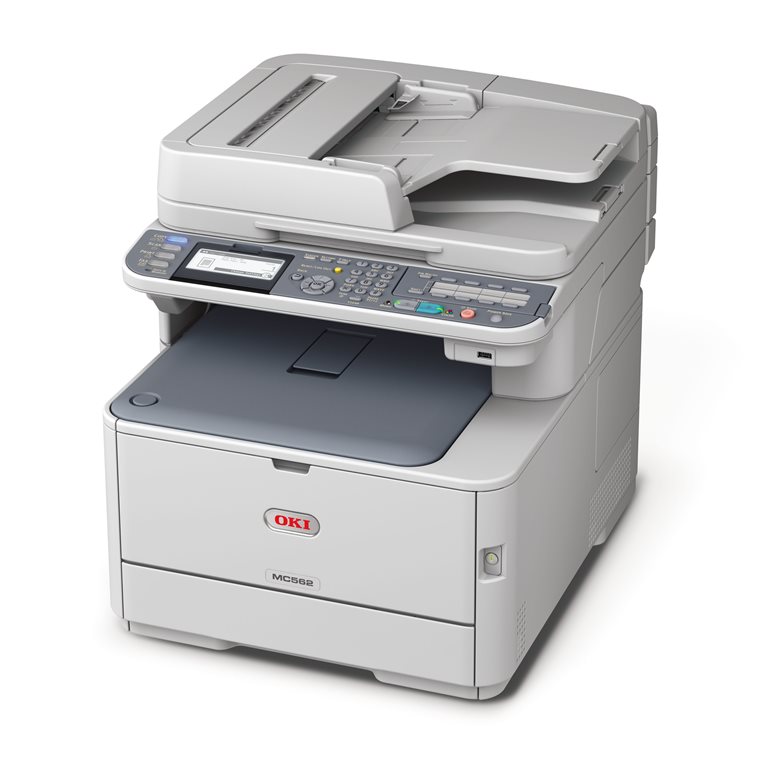
The reason an MFP replaced four separate machines is mechanical. The four functions run on one shared set of hardware. Adding one more function to that chassis costs almost no extra metal. The print engine that turns out a network print job is the same engine that turns out a copy. The only difference is where the page image comes from: a computer over the cable, or the scanner a few centimetres above the drum. The scanner glass and the document feeder that capture a copy are the same glass and feeder that capture a scan. The only difference is where the captured image goes: straight to the drum for a paper duplicate, or into a file for the network. The paper trays, the toner, the fuser, the drum and the waste bottle serve every job that produces paper, whichever button on the panel started it. Stand four standalone machines on a counter. Each one carries its own engine, or its own scanner, or its own paper handling. Each is paid for four times over and serviced four times over. A single service contract, one supply line and one machine to maintain later replace four of each. Fold them into one chassis and the shared parts get bought once, maintained once, powered once. A single MFP at a given speed costs well below a printer, a copier, a scanner and a fax machine bought apart. The part that turns this shared pile of hardware into something an office can use is the controller. It pulls print jobs off the network and copy jobs off the panel, queues them in the order they arrive, then routes each finished scan to the right folder on the network. A confidential job waits on the internal drive until a card is tapped at the machine. The address book, the user accounts and the usage logs all sit under the controller’s care.
That shared-hardware logic draws the one real limit on the design. Two functions that both need the engine at the same instant, a long print run and a walk-up copy, land in the same queue. The machine runs them in order, one at a time. For a busy floor pushing heavy print and heavy copy through the same hour, that single queue is the reason a second machine sometimes earns its place beside the first.
The path a single page takes
A print job starts at a desk. The file leaves the computer as a page-description stream, crosses the network and lands in the controller’s queue behind whatever arrived before it. When its turn comes, the controller renders it to a bitmap and hands it to the engine. The engine charges the drum, exposes it with the laser, develops the image in toner and fuses it to a sheet pulled from a tray. The page drops into the output tray a third of a second later on a fast engine.
A copy job begins at the machine itself. It uses the scanner. The original rides through the feeder or rests on the glass. The sensor reads it into a bitmap. From that point the page follows the same route as a print job: into the engine, onto the drum, through the fuser, out to the tray.
A scan job uses the front half of that copy path and then turns off it. The sensor reads the original exactly as it would for a copy. The controller builds the file. It routes that file to email or a folder or a cloud service. The image never travels to the drum. The engine never runs. A scan job can finish on a machine that is out of toner or jammed at the engine. A busy scan-to-cloud workflow can saturate an office uplink.
The three layers inside the box
The hardware splits cleanly into three layers: the print engine, the scanner, the controller.
The print engine is the same hardware as a standalone laser printer: a photosensitive drum, a laser, a toner supply, a developer unit, a transfer roller and a fuser. A color machine carries four of these in line, one each for cyan, magenta, yellow and black. A color unit weighs and costs more than a monochrome one of the same speed. The engine handles print jobs from the network and copy jobs from the scanner without caring which is which. Its rated speed sets how fast pages come out.
The scanner sits on top. The unit holds a glass platen for single sheets, an automatic document feeder for stacks, a sensor that turns reflected light into pixels and the electronics that clean raw data into a usable image. The sensor comes in two kinds whose practical difference is depth of field. A contact image sensor, or CIS, sits close under the glass. It runs on LED light, costs less, draws little power and holds focus only for a page lying perfectly flat. A charge-coupled device, or CCD, uses a lens-and-mirror path that keeps focus across roughly a centimetre of depth. That depth lets it read a creased contract or a page lifted slightly off the glass without blur. An office scanning folded or bound originals notices the CCD on the first wrinkled page.
The controller is the brain. It is an embedded computer running a custom build of Linux on many brands. It drives the touchscreen, the print queue, the scan workflows, the address book, the user sign-in, the cloud connectors and the fleet-management reporting that tells a dealer when toner runs low. It holds the internal hard drive, between 320 gigabytes and a terabyte, encrypted at AES-256 on any model sold in the last several years. The drive caches recent jobs, keeps the address book and stores held print jobs until a PIN or a proximity card releases them at the machine. The controller is the layer where two brands at the same engine speed pull apart. Through a single working day it signs in each user at the panel, logs every job for the monthly invoice, pushes scans into the right cloud folders and reports its own toner levels back to the dealer before anyone runs dry.
What an MFP is not
An MFP is not a server. It does not run office applications, host shared files for the company, or stand in for other infrastructure on the network. It is a paper-imaging device with network plumbing attached. Its intelligence is aimed at moving pages between paper and the network. The hard drive inside holds a cache and a queue, measured in days of recent work.
An MFP is not the analog copier of the 1990s. That machine had no network port, no hard drive, no scan to email, no print queue from a computer. It photographed a page with a lamp and a lens and printed the result. The digital additions are exactly what an MFP layered on top of that old idea.
An MFP is not a desktop printer with a scanner glued to the lid. The chassis is built around the scanner platen, with the print engine set underneath. The paper paths, the multiple tray configurations, the finishing options and the durability rating all run an order of magnitude past a desktop unit.
An MFP is not a production press. Machines such as the Canon imagePRESS, the Xerox Versant and the Konica Minolta AccurioPress carry higher speeds, wider paper handling, color-calibration tools and finishing that reaches past anything an office unit offers. Those belong to print rooms and commercial shops.
How an office spreads work across the four
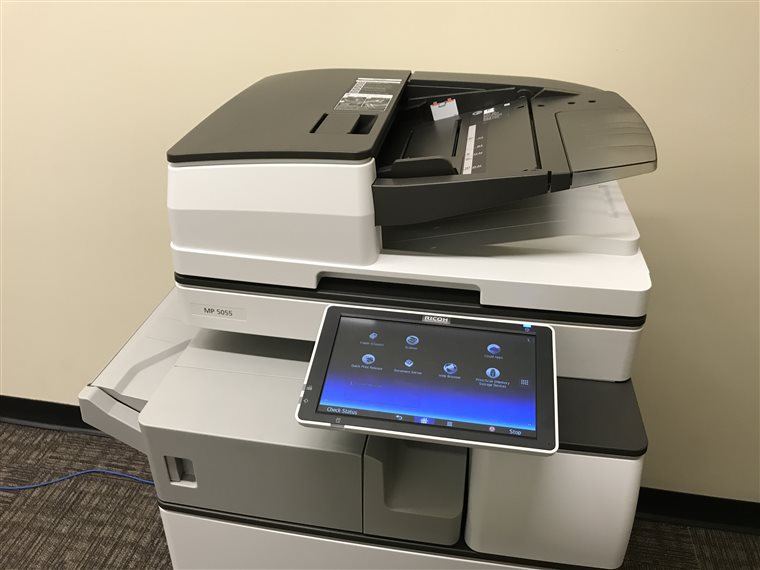
Take a Spanish SMB of 25 staff running 30,000 pages a month across everything the machine does. The volume splits roughly into 24,000 printed pages, 4,500 copies, 1,200 scans and around 50 faxes. Print dominates. Copy comes second. Scan tracks the paper arriving from outside the office: contracts from clients, signed forms, supplier invoices, the occasional ID card laid face down on the glass.
The mix moves with the kind of business behind it. A law firm copies more. An accounting firm scans more through tax season. A healthcare practice faxes more. A design studio prints far more in color. The four functions stay constant across all of them.
An office that scans heavily should care about feeder speed and the cloud connectors. An office that prints heavily should care about engine speed and the recommended monthly volume. The same machine serves both.
Reading one machine against another
Comparing two MFPs comes down to five numbers and one judgement. Pages per minute on the print engine. Pages per minute through the scanner feeder. The recommended monthly print volume. The total paper input across all trays. The first-copy-out time from sleep. Engine speed sets how long a big print run ties up the machine. Scanner speed governs how long a stack of originals holds someone at the panel. The monthly volume rating warns how hard the machine can be pushed before it wears early. Paper capacity decides how often a tray needs refilling. First-copy-out time is the wait a person feels standing there for one page.
The judgement is qualitative. It is whether the controller reaches the cloud services the office runs on: OneDrive, SharePoint, Google Drive, Dropbox and any document system already in place. By 2026 the print engines from different brands at one speed class turn out near-equivalent pages.
The one idea to keep
A multifunction printer is four older office machines pressed into one chassis, with a network controller set on top. The chassis runs print, copy, scan and fax through shared hardware, bought a single time for the whole body. The controller turns that shared hardware into a node on the office network.
Common questions
Is an MFP the same as a copier?
An MFP prints, copies, scans and on many models faxes, reaching the network through a controller. Nearly every machine an office buys now is an MFP.
Does every MFP fax?
No. Fax is an optional module on many models, added for 100 to 400 euros over the base price. An office that never faxes leaves it off the order. Healthcare, legal and some government workflows keep ordering it.
Why does an MFP cost more than a printer at the same speed?
The scanner and the controller. That added hardware is the price gap between the two.
What decides how fast an MFP works?
The print engine sets the speed for both print and copy, because both jobs run through it. The scanner carries its own rated speed for feeding originals.
Does the brand on the front change the output?
Less than buyers expect on the page. Two machines at one speed class print and copy to roughly the same standard.
A multifunction printer folds a printer, a copier, a scanner and a fax machine into one body that shares its hardware and answers to one controller.