Foundations 08 / Buyer Basics
What the industry copier segments from one through six actually mean for you
Copier dealers sort their machines into six segments, numbered one through six. The number on a quote tells a buyer more than the speed it stands for. It packs a whole tier of engineering into a single digit.
A buyer who meets the word Segment for the first time on a quote often reads it as a speed grade and nothing else. The speed is where it starts. The number carries a great deal more behind it, a bundle of decisions the maker took about how hard the machine can work and for how long.
Where the segment number comes from
The segment system is the trade’s own shorthand. Dealers and manufacturers sort copiers into six tiers by speed, measured in pages per minute. Segment 1 holds the slowest machines. Segment 6 holds the fastest. The scale runs across brands, so a Segment 3 machine from one maker sits at the same tier as a Segment 3 from another, whatever the badges on the front. A maker often runs more than one model inside a single segment, a faster and a slower option sharing the same tier.
The tiers grew out of the way offices buy. A maker builds a line of machines for small offices, another line for busy floors, another for print rooms. The segments put names to those tiers so a buyer can find the band that matches the office without reading every spec sheet on the shelf. The system describes office machines, the range a normal business shops in. It stops where production presses begin.
Where Segment 6 ends and production begins
Segment 6 sits at the top of the office scale. The line past it blurs. The fastest Segment 6 machines run at speeds that overlap the slowest production presses. The difference at that boundary is less about speed than about how the machine is run. A buyer shopping at the top of Segment 6 stands close to the production line. The question there is whether the work is office work at high speed or production work in another form.
Why the scale stops at six
The six-tier scale is a convention the trade settled on. It carves the range from the smallest desktop machine to the print-room copier into six bands. Six tiers cover the office market from a home desk to a print room in steps a buyer can reason about. The exact speed lines shift a little between sources.
The six segments, one by one
| Segment | Speed, roughly | Built for |
|---|---|---|
| Segment 1 | 11 to 20 ppm | Home and the smallest offices |
| Segment 2 | 21 to 30 ppm | Small offices |
| Segment 3 | 31 to 40 ppm | Small to mid-sized offices |
| Segment 4 | 41 to 69 ppm | Mid-sized to large offices |
| Segment 5 | 70 to 90 ppm | The largest offices and light print runs |
| Segment 6 | 91 ppm and up | Print rooms and copy shops |
Segment 1 covers the small desktop machines a home office or a two-person firm uses. The speeds run low, the monthly load light. Segment 2 steps up to a small office with a handful of staff sharing one machine. These two tiers carry the simplest builds, with modest paper trays and basic finishing. The control panel is often a plain keypad and a small screen, the interface a light load calls for.
Segment 3 and Segment 4 hold the centre of the market, where the majority of office copiers sit. A Segment 3 machine suits a small to mid-sized office sharing one unit across a floor. A Segment 4 machine, faster and tougher, serves a larger floor or a department that leans on the copier all day. The majority of business buyers find their fit in one of these two tiers without ever looking higher.
Segment 5 and Segment 6 climb into heavy territory. A Segment 5 machine handles a large organisation or the light print runs of a busy site. Segment 6 reaches into print-room speeds, the band where office copiers shade into the lighter end of production work. The boundary edges are not fixed to the page. Different sources draw the speed lines a little apart. A maker may place a model by more than speed alone.
Colour and the segment line
A machine that runs 40 pages a minute in black and white often runs slower in full colour. Some segment figures quote the black-and-white speed. Some quote the colour. A buyer comparing two machines has to check which one a number refers to. A colour machine and a mono machine in the same segment can feel different in daily use, the colour unit slower on a colour-heavy load.
The number stands for more than speed
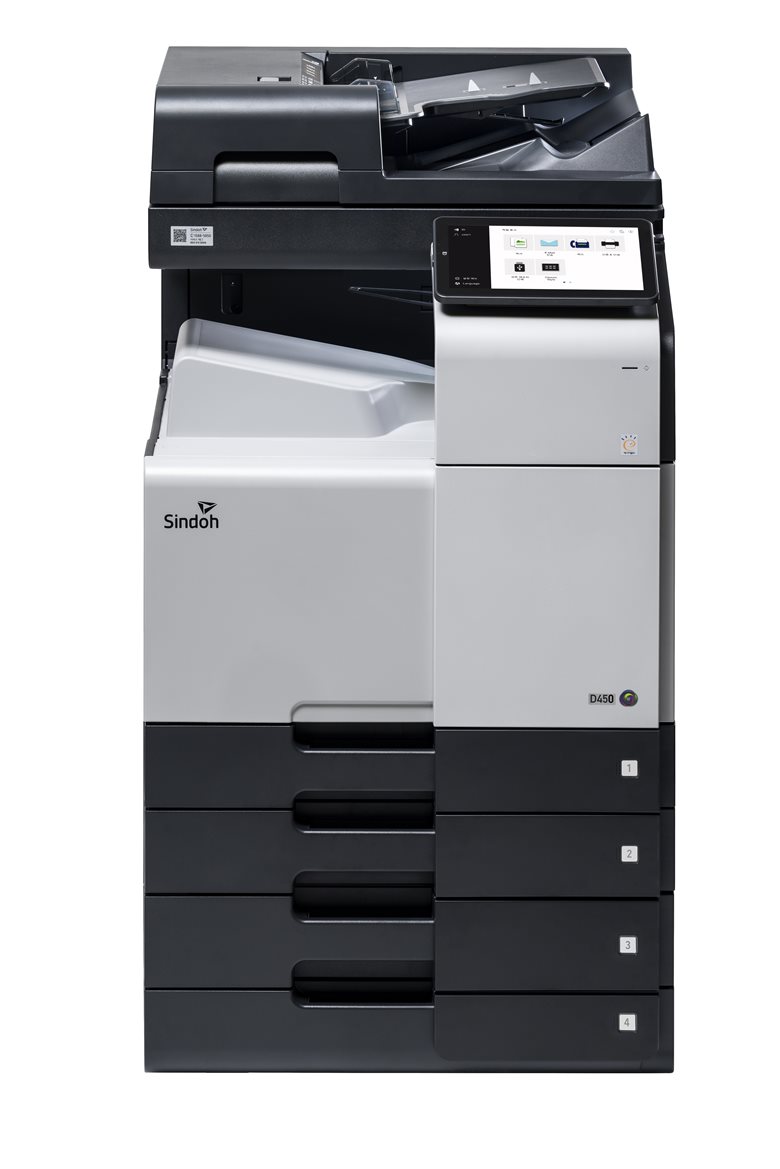
As the segment climbs, the whole machine grows with it. The monthly volume rating rises. The paper capacity grows, with more trays and larger drawers. The build gets heavier, sized to run longer without strain. The finishing options widen, from a simple stapler low down to booklet making higher up.
A buyer who reads Segment 4 reads a machine built for a busy floor, with the speed, the durability, the paper handling and the finishing that such a floor needs, all moving together.
What each segment tends to cost
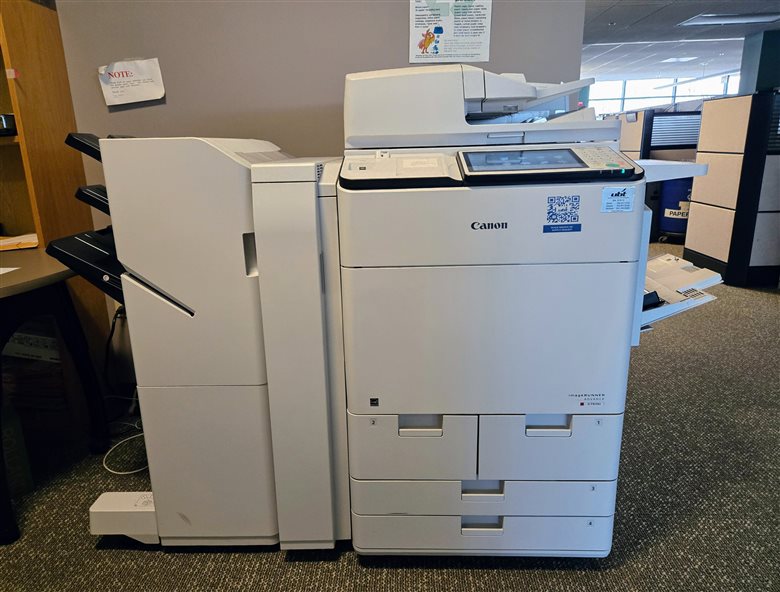
Price climbs with the segment, in broad bands. A Segment 1 or 2 machine for a small office runs from a few hundred euros to a couple of thousand. A Segment 3 or 4 machine, the office mainstream, lands roughly between 3,000 and 10,000 euros, usually on a lease with a service contract. On that lease the cost shows up as a monthly fee, from under a hundred euros for a small machine to several hundred for a large one, with the service folded in. A Segment 5 or 6 machine climbs well past that, into five figures, sized for the heaviest office loads. The price tracks the build.
Speed is more than pages a minute
The segment grades sustained speed, the pages a minute a machine holds over a run. A buyer feels a second kind of speed the segment leaves out. First-copy-out time is the wait from pressing the button to the first page landing, the pause as the machine wakes and warms. A machine fast by segment can feel slow when it takes a moment to deliver that first page. For an office that prints in short bursts, a page or two at a time, first-copy-out time matters as much as the pages-a-minute figure the segment is built on.
Connectivity rises with the segment
The digital side of a copier climbs with the segment in the same way. A low-segment machine prints from a computer and scans to email, the basics a small office needs. A higher segment adds deeper network features, scanning into document systems, tighter security on the stored jobs, accounting that tracks print by user or by department. These tools serve the larger organisation a higher segment is built for, where many users and stricter controls come with the size.
The running side of a higher segment
A higher segment costs more to run, on top of its higher purchase price. A bigger machine draws more power, holds more toner and uses larger consumables. The figures stay modest next to a production press. A buyer matching the segment to the office avoids paying to power and feed a machine larger than the work needs. Energy-rating labels help compare two units inside a segment, where machines of the same speed can still differ in what they draw.
The volume that rides with the speed
Monthly volume tracks the segment as closely as speed does. A lower-segment machine is rated for something like 8,000 to 10,000 pages a month. A mid-segment machine carries 20,000 to 40,000. A high-segment office machine handles 75,000 to 100,000 and beyond. These figures are the comfortable load, the volume the maker expects the machine to carry month after month without wearing early. The rating prints on the spec sheet beside the speed, the pair a buyer reads together before any other figure.
The volume rating matters as much as the speed for picking a segment. A machine pushed near its rated ceiling every month wears out ahead of its time. A machine run well under its rating lasts and costs less in repairs.
The trap in the ladder
The segments look like a ladder, where a higher number reads as a better machine. The number grades speed and the tier of build behind it. It does not grade quality or value. A Segment 5 machine is not a better buy than a Segment 3 for an office that fits Segment 3. It is a larger, faster, dearer machine than that office needs, with capacity that sits unused as the lease still charges for it.
Speed is the figure a buyer should lean on least. Pages per minute is one number among several that decide whether a machine fits. Buying up a segment for the speed alone spends money on a faster engine. The volume rating, the paper handling and the running cost do the real work of fitting the office.
How to read your own segment
A buyer can find the right segment from the office and the work it does. Start with the monthly page count the office runs now. Add a margin for growth, at least fifteen percent on top of the current figure. Match that volume to the segment rated to carry it in comfort. The speed then falls into place.
Read the segment as a starting band, the first cut at the choice. Inside the right segment sit several machines that differ in finishing, in connectivity and in running cost. The segment narrows the field to a tier. The choice within the tier comes down to the features the office uses.
Finding the segment on a spec sheet
The segment number rarely prints on the box in plain sight. A maker lists the speed, the volume rating and the build. The segment itself is left to the dealer’s catalogue. A buyer can place a machine without the label by reading the speed against the tiers. A unit at 35 pages a minute sits in Segment 3. One at 55 sits in Segment 4. The volume rating confirms the placement. A dealer quoting a machine names its segment readily. A buyer reading a spec sheet alone works it out from the speed and the volume in a moment.
What the segments leave out
The segment number is a speed grade on its face. The speed comes matched to a monthly volume rating, a paper capacity, a build weight and a set of finishing options, all sized to the same tier of office. When a dealer says Segment 4, the word carries that whole package. It is a shorthand for a tier of engineering. It reads as a ladder, where a higher number looks like a better machine. A Segment 2 machine is not a worse machine than a Segment 5. It is a smaller one, built for a smaller office. Reading the segment as a ladder pushes a buyer to climb toward speed they will never use, on a machine larger and dearer than the work calls for. A higher segment rates a heavier monthly volume. The build under the speed is what lets it run that hard. Paying for a high segment buys that durability, useful only to an office that will load it. Find the volume the office runs, add room to grow, then read off the segment that carries that volume in comfort. The segment points to a band of machines built for an office that size. The same logic runs the other way. A machine set far below the office volume is a false economy, cheap on the lease and dear in wear. It slows the floor and fails early under a load it was never built to carry. Undersizing the segment costs as surely as oversizing.
When a machine sits between segments
Not every machine lands cleanly on a tier. A model rated at 70 pages a minute sits on the edge between Segment 4 and Segment 5. A maker may place it in either by other features. A machine fast for its segment may carry the lighter build of the tier below, or a slower machine may carry heavier finishing from the tier above. The segment works as a loose guide. A buyer who reads the underlying numbers, the volume rating and the finishing, sees past the label to what the machine offers.
It groups machines that are broadly alike, close enough that the tier means something. It does not promise that two machines in one segment are identical.
When an office changes segment
An office does not stay in one segment forever. A growing business prints more each year. A machine that fit Segment 2 at the start can strain at those volumes a few years on. The signs are plain. The monthly count climbs toward the rating ceiling. Jobs queue behind one another at busy hours. The service calls grow more frequent as the machine works above its tier. When the next copier comes up for lease, the volume has moved the office up a segment. The reverse can happen. An office that has gone partly paperless may print far less than before. Its next machine can drop a segment with no loss.
Segments across a fleet of machines
A large organisation rarely buys one segment for the whole building. It reads each floor or department on its own and places a machine to match. A busy print-heavy department gets a Segment 4 or 5 machine. A small back office gets a Segment 2. A reception desk that prints the odd visitor badge gets a Segment 1. A facilities manager sizes each machine to the work in front of it. A fleet matched segment by segment costs less to run and fits each spot better than a single big machine everyone walks to.
How segments shape a purchase order
The segment scale does real work in formal buying. A company or a public body writing a tender often names a segment in place of a single model. Dealers then bid machines from that segment. The buyer compares like against like, every bid sitting in the same speed-and-volume tier. The segment turns a vague request for a copier into a precise band suppliers can quote against.
The segment and what the machine returns later
A copier’s segment shapes what it returns at the end of a lease. Higher-segment machines, built heavier and bought by organisations that track their fleet, hold a clearer second-hand value. A refurbished Segment 4 machine finds a ready buyer in a smaller office that wants more machine for less money. Lower-segment desktop units have little resale life. A buyer thinking past the first lease reads the segment as a clue to what the machine returns at the end.
The segment and the length of the lease
The segment shapes how long an office can keep a machine. A copier is usually leased over three to five years. The segment chosen has to carry the office across that whole term, the future as much as the present. An office near the top of a segment’s volume on day one will outgrow the machine before the lease ends. The same office, placed a segment higher with room to spare, rides the full term in comfort. Reading the segment against the lease length keeps an office from signing up for a machine it outgrows halfway through.
Common questions
What does the copier segment number mean?
It grades a copier by speed into six tiers, from Segment 1 at 11 to 20 pages a minute up to Segment 6 at 91 and beyond. The number carries more than that, the monthly volume, the build and the finishing of the tier. It is the trade’s shorthand for how much machine is on offer.
Is a higher segment always better?
No. A higher segment is a larger, faster machine built for a bigger office. For an office that fits Segment 3, a Segment 5 machine is wasted capacity at a higher cost. The right segment is the one sized to the office and the volume it runs.
Which segment does a typical office need?
The majority of business offices land in Segment 3 or Segment 4, covering speeds from 31 to 69 pages a minute and monthly volumes in the tens of thousands. Smaller offices fit Segment 1 or 2. Segment 5 and 6 suit the largest offices and print rooms.
How do I match a segment to my office?
Start with the monthly page count the office runs. Add at least fifteen percent for growth. Find the segment rated to carry that volume in comfort. The speed follows the volume up the tiers. Then read the spec sheets inside that segment.
Where do the segments stop?
The six segments describe office machines, up to the light end of print-room speed. Past Segment 6 sit production presses, a separate class built for one operator running long high-volume jobs, set apart from a shared office floor.
The segment number from one through six is a map to the size of machine an office needs. It bundles speed, volume, build and finishing into one digit, sized to a tier of office. Read it from the work back to the number.