Foundations 04 / Buyer Basics
When a single function printer makes more sense than a multifunction one
Walking into a dealer showroom for a small office almost always ends with a quote for a multifunction unit. The commission is higher on an MFP. The service contract is more profitable on an MFP. The brochure photographs better on an MFP.
There are five everyday situations where a single-function laser printer is the right answer. There is a sixth where reaching for the printer would be a mistake.
A printer that only prints, bought for a desk that only prints, does the whole job at a fraction of the price of a machine built to scan, copy and fax.
Slot one: personal desks already covered by a shared MFP
Almost every office above ten people runs a shared MFP in a central room, with individual desktop printers at a handful of desks. The shared machine handles the scanning, the copying, the faxing and the long or finished print runs. The desktop printer at a desk handles the short personal jobs a user does not want to walk forty metres to collect. In that arrangement the desk printer is doing pure print. It scans nothing. It copies nothing. It faxes nothing.
Buying that desk unit as a multifunction machine adds 800 to 1,500 euros to the line for capability the desk will never touch. The scanning and copying already live on the central MFP down the hall, where the staff already know how to use them. A plain laser printer fills the slot for a few hundred euros. The saving repeats at every personal desk in the building.
Three units fit this slot cleanly in 2026. The HP LaserJet Pro 4001n runs near 350 euros at around 42 pages a minute. The Brother HL-L2400DW sits near 200 euros at 30 pages a minute. The Canon i-SENSYS LBP243dw lands near 280 euros at 36 pages a minute. All three speak to Windows, macOS and Linux print queues out of the box. All three take standard toner cartridges yielding a few thousand pages apiece, bought as needed with no service contract hanging off them.
The objection a dealer raises here is standardization: one model everywhere is simpler to service. A plain printer needs no service contract at all. It takes standard toner from any supplier. When it fails after five years, it gets replaced for a few hundred euros.
Slot two: side rooms and satellite floors
An office spread across rooms or floors often wants a second device on a far floor, where walking back to the main MFP is a daily nuisance. The reflex is to order a second MFP to match the first one.
A second MFP near 3,000 euros, with a service contract around 80 euros a month, reaches roughly 7,800 euros across five years. A 30-page-a-minute monochrome printer placed on the same floor costs 250 to 400 euros up front. It runs on standard cartridges bought as needed, with no contract attached to it. Its five-year total lands near 1,800 to 2,500 euros including toner and paper. The gap against the second MFP runs close to 5,000 euros for that one floor alone.
The trade is the loss of scanning and copying on that floor. For a handful of pages a week, the originals walk to the main MFP once a day, or a phone scanner app captures the occasional one-off in seconds.
One exception lives inside this slot. A far floor that scans heavily on its own, a satellite finance team or a remote intake desk, is no longer a satellite print slot at all. It has become a second scanning hub. It belongs in the multifunction camp. Count the scans before the prints.
Slot three: air-gapped and high-security rooms
Some offices have a regulatory or contractual reason to keep document equipment off the network entirely. Defence contractors. Legal teams handling sealed cases. Forensic accountants holding evidence chains. Public bodies handling classified material. In any of those rooms, what the device quietly stores becomes an audit question of its own.
An MFP holds a hard drive between 320 gigabytes and a terabyte. The drive caches recent jobs, keeps the address book, stores held print jobs released by a PIN at the panel.
A pure desktop printer usually holds no drive at all. Its memory caches a single job during printing, then clears the instant the power drops.
In the strictest rooms the same logic stretches to a stand-alone copier kept beside the printer, chosen for the identical reason.
Slot four: home offices and one-person firms
Freelance consultants, single-lawyer practices and home-based businesses rarely reach the scan and copy volume that pays for a multifunction unit. A 30-to-36-page-a-minute monochrome desktop laser covers the print side completely. Occasional scanning goes through a phone camera running Adobe Scan, Microsoft Lens or the document scanner built into Apple Notes. Those apps in 2026 produce searchable PDFs at 300 dots per inch from any decent phone, with automatic cropping and perspective correction included for free.
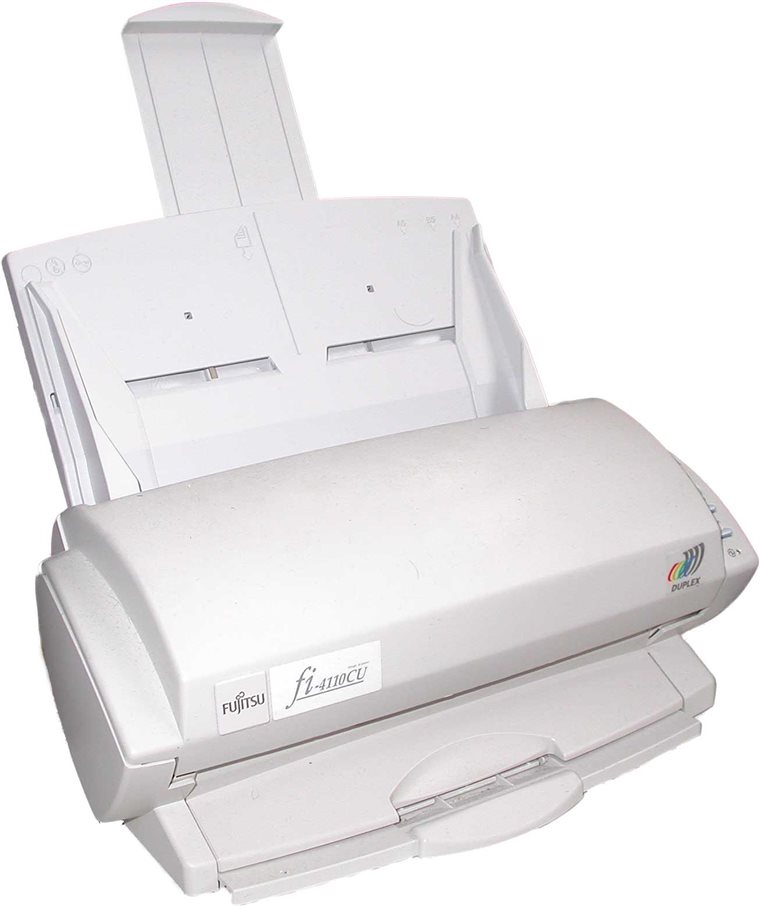
A home office that does need real scanning is served by a dedicated document scanner. The ScanSnap iX1600 now sells under the Ricoh badge. The Epson WorkForce ES-580W sits right beside it on price. Both run between 350 and 600 euros. Each scans straight to an OCR-ready PDF. Each drops files into iCloud, Google Drive, OneDrive or Dropbox out of the box.
The scanner reads faster, holds more paper and sits out of the way until it is wanted.
The exception is the home-based business that scans constantly, a sole bookkeeper keying client paper every morning. That desk has crossed the line into the multifunction case, even at a single seat.
The dedicated scanner has a second advantage at this seat. It clears a stack as the printer runs a job at the same moment.
Slot five: reception and front-desk stations
A reception desk prints boarding passes, name tags, simple maps, the occasional document handed to a visitor. Volume rarely passes 50 to 100 pages a day. Scanning and copying for reception happen on the main MFP elsewhere, where the staff are already trained to handle visitor documents under the office’s own rules.
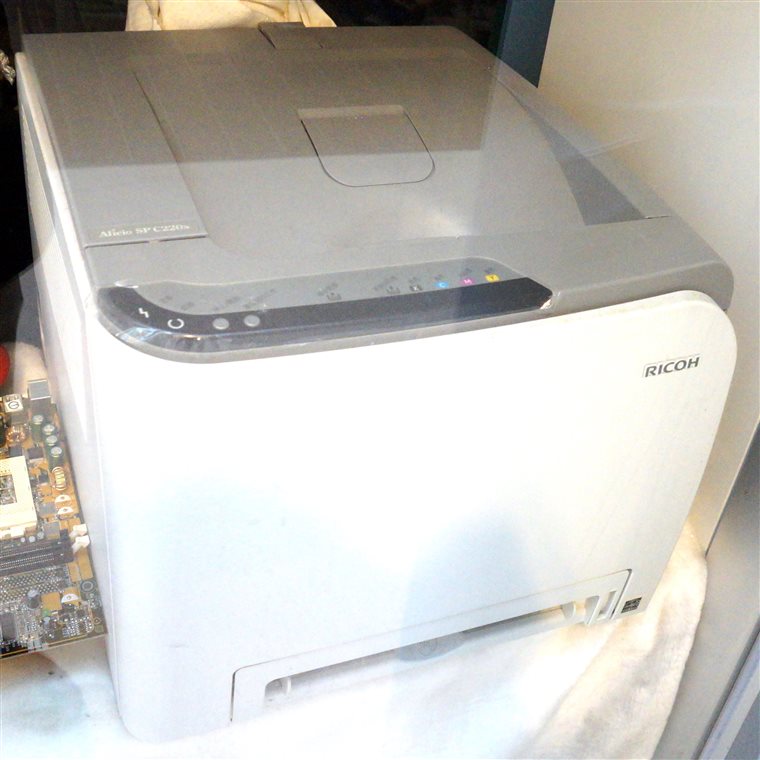
Putting a full MFP at reception, when the scan workflow routes elsewhere anyway, overspends on a unit that prints maybe 1,500 pages a month and scans twice a week. The slot suits a small colour desktop laser. Boarding passes, name tags and visitor materials often carry brand colours that a monochrome unit cannot reproduce.
The speed needed at reception is moderate, somewhere between 22 and 30 pages a minute. A reception desk keeps little spare surface for a machine. A compact colour laser at 300 to 450 euros fills the slot without the bulk or the running cost of a floor-standing multifunction unit. It leaves room on the desk for the work reception does all day.
The five-year numbers, side by side
The numbers are illustrative, drawn from typical 2026 Spanish SMB pricing. The shape of the gap holds across markets even where the exact figures move with local prices.
| Desk slot | Single-function printer, 5 yr | Multifunction unit, 5 yr | Gap |
|---|---|---|---|
| Personal desk by a shared MFP | 600–900 € | 2,400 €+ | ~1,800 € |
| Satellite floor, light volume | 1,800–2,500 € | 7,800 € | ~5,000 € |
| Home office, low scan | ~600 € | 2,400 €+ | ~1,800 € |
| Reception, colour | 1,200–1,800 € | 4,000 €+ | ~2,500 € |
| Desk that scans daily | printer + scanner workflow friction | justified | MFP wins |
Every print-only slot saves between roughly 1,800 and 5,000 euros over five years by taking a printer where a multifunction unit was assumed. The one row where the gap flips is the desk that scans every day, where the MFP pays for itself on saved time.
The one slot where the multifunction unit wins
The case for a printer flips the moment a desk needs to scan paper into digital systems on a regular basis. Three or more incoming paper documents a day. A workflow that sends scanned PDFs to a shared folder, an email address or a cloud store. A finance team keying printed invoices into an accounting system. A clinic taking patient intake forms at the front desk. A legal team logging physical exhibits into a case file. In any of those, a printer paired with a separate scanner is workable. It does build a two-device routine that adds a little friction to every scan of every day. A single MFP folds the scan workflow into the same machine that prints, under one sign-in, pointing at the same set of destinations. By the time a spot reaches fifty scans a week, the productivity case for the multifunction unit clearly outweighs the cost case for the printer-and-scanner pairing. The dividing line between a slot that wants a printer and a slot that wants an MFP tracks scan volume far more than it tracks print volume. Above roughly thirty scans a week at one spot, the multifunction unit pays for its higher price in saved minutes. That threshold is a loose rule of thumb. It shifts with how long each scan takes and how far the central machine sits from the desk. Thirty a week is a sound starting point for a first estimate at any desk in the building. Below that line, a single-function printer at a quarter of the cost covers the same daily work. The rare scan is met by walking a few pages to the central machine. The dealer sells multifunction units. A clear-eyed office buys them only where the scan volume at that exact spot justifies the chassis.
A quick test for any desk
A few plain questions settle nearly every case before a quote is signed.
Does the user at this desk almost never scan? The printer wins. Does the desk sit more than fifteen metres from a shared MFP, with only light scanning of its own? The printer wins. Does the device handle only print jobs sent from one person’s computer? The printer wins. Does the desk sit in a regulated room that audits what a drive has stored? The printer wins. Does a central MFP already carry the scan and copy load for the whole team? Then the satellite desks around it should nearly all be printers.
The common mistake is reaching for a multifunction unit because the dealer suggested it, or because the previous building happened to keep one in that corner. The workflow at a typical individual desk does not include scanning, copying or faxing on that same device. The workflow at the central machine does, every hour of the day.
A team about to move from paper to digital intake next quarter should buy for where its workflow is heading. Hardware bought now lives five to seven years. A desk that scans nothing this month may scan daily once a new process lands. That desk wants the multifunction unit from the start.
A desk losing its scan load, where an intake process goes fully digital upstream of the paper, can drop from a multifunction unit to a printer at the next refresh. A slot that is correct in 2026 can be the wrong call by 2031.
How the slots add up across a refresh cycle
Picture a thirty-person firm on two floors. One central MFP carries the scanning, the copying and the heavy print for the whole team. Eight desks run plain monochrome printers for personal jobs. Reception runs a small colour laser for visitor materials. A secure back room for client files runs a printer with no drive at all. Across that layout, exactly one machine needs to be a multifunction unit. The other ten slots are printers, each bought for a few hundred euros in place of a few thousand.
The same office, fitted out the way a dealer would prefer, might carry three or four MFPs: one per floor, one for reception, each with its own service contract ticking over every month. The hardware looks tidier on a single supplier’s quote. The five-year bill runs tens of thousands of euros higher, for scanning capacity that sits idle at every spot except the central room.
Buying for the real workflow at each spot, in place of fitting one identical chassis everywhere, saves an office somewhere between 5,000 and 30,000 euros across a five-year refresh. The figure scales with the number of desks involved. A bigger office has more print-only desks that got quoted as multifunction units out of habit.
Hardware turns over every five to seven years. The decision made once, per slot, locks in five years of running cost.
What getting the slot wrong costs
The error runs in two directions, one far more common than the other. Over-buying is the everyday mistake: a multifunction unit dropped onto a desk that only prints. The waste stays quiet. The machine works fine. It just costs three or four times what the desk needed, every month, for five years running. Nobody flags it.
Under-buying is the rarer mistake, the louder one. A plain printer placed at a desk that turns out to scan all day forces staff into a daily workaround: a walk to the central machine, or a phone held over the page. The friction shows up within days. The office corrects it inside a few weeks by adding a scanner or swapping the unit.
A buyer unsure about a slot should lean toward the printer.
The takeaway for a first-time buyer
A multifunction unit is the correct buy for the slot that scans every day. The print-only desk is the common case across an office.
Common questions
How do I know if a desk needs an MFP or just a printer?
Count what the desk scans, with the prints set aside. If the desk turns paper into digital files on a daily basis, a multifunction unit saves real time. If it mainly prints, with scanning handled on a shared machine elsewhere, a single-function printer covers the work at a quarter of the cost.
What do I lose by putting a plain printer at a desk?
Scanning, copying and faxing at that exact spot. For a desk near a shared MFP, the loss is a short walk for the rare scan.
Is a printer with a separate scanner better than an MFP?
For a home office or low-volume user, often yes. A monochrome laser with a dedicated document scanner can deliver more capability per euro than an entry MFP at the same total price, with faster scanning and a larger feeder.
Why does the dealer always quote an MFP?
The margin. Commission and the service contract both run higher on a multifunction unit. The two line up only at the desks that genuinely scan.
Are there security reasons to choose a plain printer?
Yes. A desktop printer usually holds no hard drive, so it caches a job in memory and clears it at power-off. An MFP stores jobs and an address book on an internal drive, which becomes an audit concern in regulated or classified rooms.
Does office size decide which I need?
No. Scan volume at each desk decides it. Headcount does not come into it. A busy one-person bookkeeping firm can need an MFP. A quiet ten-person office runs well on one shared MFP and printers everywhere else.
A single-function laser printer is the right buy far more often than a dealer quote implies. Five everyday slots want one. A sixth wants the multifunction unit. The line between them tracks how often that exact desk turns paper into a file.