Everything a complete beginner should know about what a photocopier really is
The photocopier sits in nearly every office and stays mostly invisible until something goes wrong with it. The thing in the corner of the supply room that beeps when no one is watching, jams every Friday afternoon around half past four, and burns through a 350 euro toner cartridge between Christmas and Easter. Most companies do not buy a new one for years. When the time finally comes, three quotes from three dealers come back looking nothing alike, and the question of what is sitting inside the machine becomes uncomfortable.
The honest answer is that the word covers four different machines. Pinning down which one matters before signing anything.
Four machines hiding under one word
Procurement spreadsheets list it as a copier. Office managers call it a printer. Service technicians call it an MFP. Trade press calls it a multifunction device. Behind those four labels are four price tiers, four feature sets, and four very different conversations to have with a salesperson.
The first is a single function copier, a machine that copies and only copies. Production stopped on most office class single function machines around 2010 to 2012. The price gap between a copy only unit and a full multifunction unit had collapsed to almost nothing, and dealers stopped stocking them. The category survives in two niches. High security environments that need air gapped equipment with no network controller. Refurbished sellers offloading inventory built in the last decade. Small offices weighing whether a single function laser printer might cover the workload before stepping up to a full multifunction unit will get the breakdown in When a single function printer makes more sense than a multifunction one.
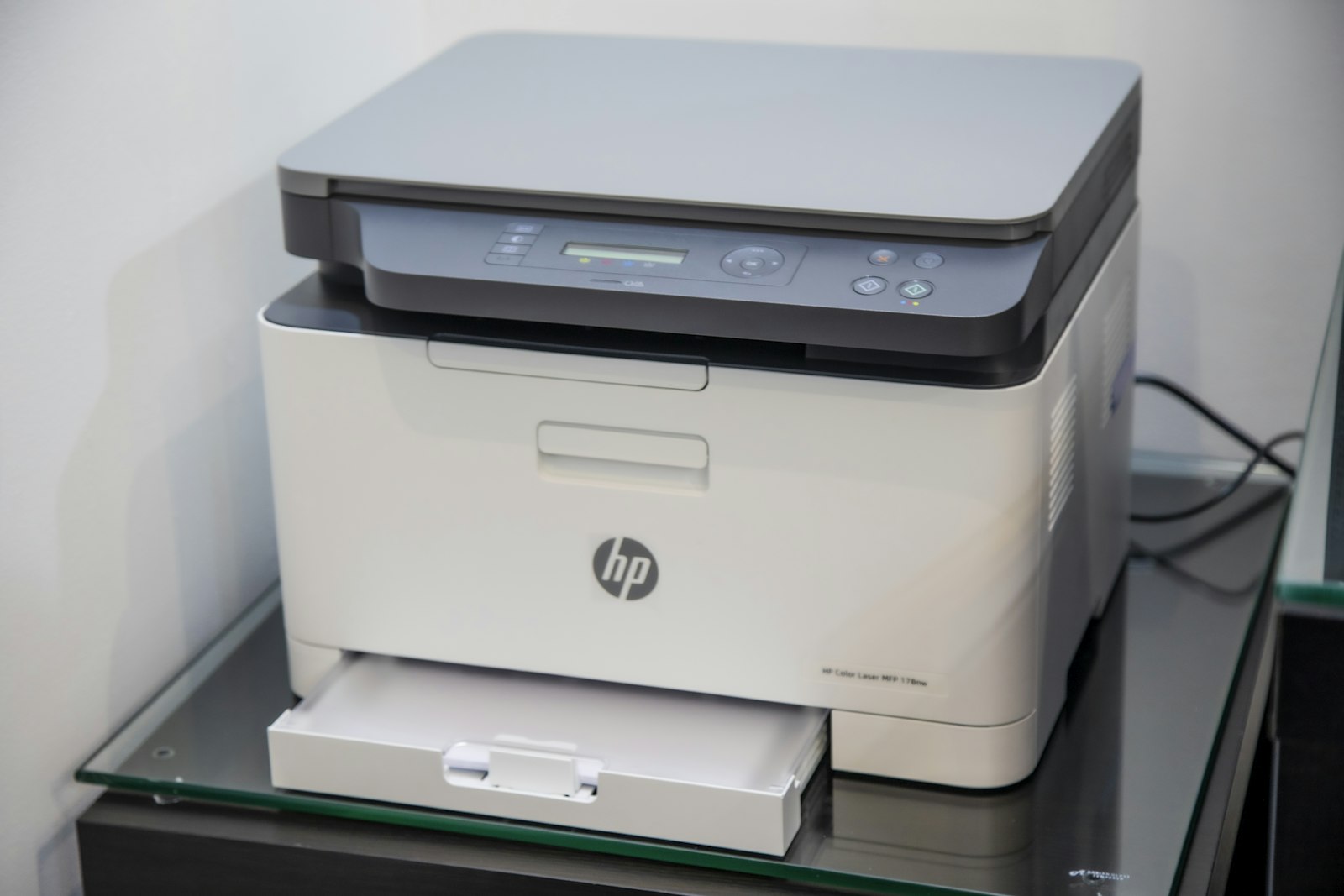 The second, and the one most offices buy, is a multifunction printer. MFP in shorthand. The hardware is a print engine, a scanner, an automatic document feeder on top, a controller board running embedded Linux, and 250 GB to 1 TB of internal storage. Modern units talk to Active Directory, Microsoft 365, Google Workspace, and any cloud storage backend with an API. The print engine inside an MFP is treated as a commodity by the brand engineers. The software stack and the cloud connectors are where Canon, Ricoh, Xerox, Kyocera, Konica Minolta, Sharp, HP, Brother, Toshiba, and Lexmark spend the budget that justifies the price gap between two machines printing at the same speed. The foundational read on what the abbreviation MFP covers as a category sits in The simplest possible explanation of what a multifunction printer does.
The marketing labels three in one, four in one, and five in one each describe slightly different feature combinations on the same physical platform, broken down at The real differences between three in one four in one and five in one printers.
The third is an analog copier. Lamp and mirror systems, no digital intermediate. Standard equipment in offices through the early 1990s. New analog production effectively ended by 2000. The few units still operating in 2026 are kept alive by independent technicians, mostly for collectors, museums, and a handful of organizations with regulatory reasons to avoid networked document equipment.
The fourth is a production copier. Canon imagePRESS. Xerox Versant and PrimeLink. Konica Minolta AccurioPress. Ricoh Pro. HP Indigo. Speeds above 100 pages per minute in color, with inline finishing that reaches saddle stitch booklets, hole punch, perfect bind, and spot UV on the higher end models. Entry list prices start around 30,000 euros. The largest units in the segment sit above 200,000 euros. Print shops live here. The line between office class and production class equipment, and how to tell whether monthly volume has crossed it, is unpacked at How to tell whether you need an office class copier or a production class one.
How a sheet of paper becomes a copy
 The mechanical process is older than most people in the office. Chester Carlson patented xerography in 1942 after spending years experimenting with sulfur and zinc plates in a borrowed kitchen in Astoria, Queens. Haloid Xerox built the first commercial machine, the Xerox 914, in 1959. The six steps the 914 ran are the same six steps a Canon iR ADV C5760i runs today. The full origin story of how Carlson worked the technology out, and what came after, sits at A short walk through the history of the photocopier from Carlson to today.
Charge a drum. Hit it with a laser scaled to 600 or 1200 dots per inch. Roll toner past the drum so the powder sticks where the laser exposed it. Press the drum against a sheet of paper, transferring the pattern. Run the sheet through a fuser somewhere between 175 and 195 degrees Celsius, melting the toner into the fibers. Sweep the residual toner off the drum into a waste bottle.
On a 60 page per minute machine, the full sequence per page takes around a third of a second. Color works the same way four times in line, one stage each for cyan, magenta, yellow, and black. The four station inline geometry was solved in the late 1990s. It is the reason a modern color MFP weighs around 90 kilograms and a monochrome unit of similar speed weighs about 50.
The cost picture, where the money lives
 Every dealer quote splits the bill in two. Hardware on one side, paid up front or financed across 60 months. Service on the other side, billed monthly per page printed. The hardware side is roughly transparent. List price minus 20 to 35 percent dealer discount, plus a small line for installation and driver rollout. The service side is where the dealer earns the margin.
Spanish SMB rates in 2026 sit around 0.005 euros per monochrome page and 0.04 to 0.07 euros per color page on the service contract. An office printing 4,000 monochrome and 1,000 color pages a month runs a service bill near 90 euros, on top of the lease payment. Across 60 months, that line item totals around 5,400 euros. Push the color rate up to 0.08 and the same workload over the same term reaches 6,000 euros. The 600 euro spread is wider than the price difference between three competing hardware bids on the same speed class.
Kyocera runs a different model from the rest of the brand list. Their drums are rated to last the full life of the machine, with no replacement schedule. The per page cost on the service contract drops as a result. Hardware list prices run 10 to 20 percent above comparable Canon or Ricoh units to compensate. Across five years the math evens out for low volume offices and tilts in Kyocera favor for offices printing above 5,000 pages a month. The legal sector in Spain has noticed. Most law firm copier fleets running in Madrid and Barcelona are Kyocera, and the maintenance economics are why.
Toner is rated by ISO yield. ISO 19752 covers monochrome cartridges. ISO 19798 covers color. The yield number assumes 5 percent page coverage, calculated against a defined test pattern. Office documents tend to land between 4 and 8 percent coverage on text pages, so cartridge life in the field tracks the rated yield with a slight margin in either direction. A 16,000 page rated cartridge prints around 14,000 to 18,000 office pages. Sales reps quoting yield numbers without saying any of this are either new or hoping the buyer is.
The segment classification every dealer uses without explaining it
 Segments. Numbered one through six. The classification originated with Buyers Lab, the independent testing house, and is baked into every dealer quoting tool across Europe and North America. Asking for a Segment 3 color machine produces a tighter quote in less time than asking for a regular color copier. The full mapping of segment number to feature expectations, paper handling, and durability rating is at What the industry copier segments from one through six actually mean for you.
| Segment | Speed | Form factor | Typical use |
|---|---|---|---|
| 1 | 20 to 30 ppm | Desktop A4 | Small office, single workgroup |
| 2 | 30 to 40 ppm | Desktop or small floor | SMB workgroup |
| 3 | 40 to 55 ppm | Floor standing A3 | Mid sized office floor |
| 4 | 45 to 55 color, 65 to 75 mono | Floor standing | Large workgroup |
| 5 | 55 to 70 color, 70 to 90 mono | Floor standing heavy | Enterprise floor |
| 6 | 70 plus color, 90 plus mono | Light production | Print room, in plant |
A Segment 3 color machine will be a floor standing A3 unit with two paper trays standard, a 100 sheet automatic document feeder, and finishing options sold separately. A Segment 5 will have four paper trays, a 300 sheet feeder, finishing built in, and a hard drive twice the size. The price gap between segments runs roughly 30 to 50 percent. Most Spanish SMB offices land on Segment 3. Enterprise and government floors run Segment 4 and 5. Segment 6 is where the office class story stops and commercial print starts.
What hides inside an MFP that is not on the spec sheet
The print engine is one part of the machine. The other part, the part that justifies the price gap between brands, is the controller and the software stack. Canon ships imageWARE Enterprise Management Console and uniFLOW. Ricoh ships Smart Operation Panel and Streamline NX. Xerox ships ConnectKey with the App Gallery. Kyocera ships HyPAS. Sharp ships Synappx. HP ships Workpath. The names are different. The job is the same. Turn the machine into an extension of the office existing software stack rather than a standalone device. The everyday distinction between what counts as a printer, a copier, and an MFP at the office level is its own piece, How a photocopier differs from a printer an MFP and a copier in everyday office life.
The four destinations that decide whether the controller is current
Scan to OneDrive. Scan to SharePoint. Scan to Google Drive. Scan to Dropbox. A 2026 office MFP that does not natively reach all four out of the box is missing the workflows the office uses every day. OAuth based authentication on those connectors became standard in 2023. SMTP for scan to email shifted from password to OAuth around the same time, after Google and Microsoft phased out basic authentication on their consumer mail platforms.
The drive few buyers ask about during procurement
Inside the controller sits a hard drive, typically 320 GB to 1 TB, encrypted at AES 256 on any model sold in the last six years. The drive caches recent jobs, holds the address book, and stores held print jobs released by PIN or proximity card. Decommissioning a machine without wiping that drive is a regulatory exposure under RGPD in Spain and GDPR across the EU. Every brand sells a wipe routine. Few buyers ask for it during procurement, and many service contracts do not include it at end of lease.
The traps written into the small print of every dealer contract
 Three clauses appear in almost every dealer contract and matter more than any of the technical specs. The first is standard across Spain, Italy, and France and is seldom flagged in the sales pitch. The 90 day notice window is enforceable. Offices that miss it sign a 12 month extension on terms set five years earlier without realizing they have done it.
Auto renewal at end of term, typically extending the lease for 12 months unless the customer gives written notice 90 days before the end date.
Service response time claimed as four hours, with no contractual penalty for missing it.
Toner billed separately at retail, outside the per page service rate.
The second is harder to spot. Service tickets logged on Friday afternoons routinely take four business days to resolve, despite the four hour claim. Adding a contractual penalty clause changes the conversation, even if the penalty is just a service credit applied to the next month invoice.
The third is the largest single source of overpaying on a multi year contract. A service rate that excludes toner runs 20 to 30 percent more expensive over 60 months than an all inclusive rate quoted at the same headline number. The dealer makes margin on toner sales separately. The buyer sees the lower headline and signs.
Picking a photocopier is closer to picking a phone system than to picking a desk. Hardware that runs five to seven years. A service contract that runs three to five. Workflow integration with the rest of the office software that runs forever. Most of what makes one machine a good buy and another a bad buy never shows up in the brochure.